Plotter Maintenance KSA: Tips Every Business Needs
Hasnain
5 mins read
Table of Contents
Summary
“Most plotter maintenance advice is written for mild climates not for Riyadh summers or Jeddah’s coastal humidity. Learn exactly what plotter maintenance KSA businesses need to follow daily, weekly, and monthly to protect their wide-format investment from Saudi Arabia’s harsh conditions.”
If your business runs a wide-format plotter in Saudi Arabia, you already know the machine works hard. What you might not know is how much damage is happening silently inside the printhead, along the rollers, and in the ink tubes simply because of where you are located.
Saudi Arabia’s climate is one of the harshest environments any printing equipment can face. Summer temperatures cross 45°C regularly. Shamal winds carry fine dust particles that find their way into every gap and slot in your machine. Humidity swings from bone-dry in Riyadh to heavy coastal air in Jeddah and Dammam. None of this is good for a precision machine that relies on microscopic nozzles and tight mechanical tolerances.
This guide covers everything your team needs to know about plotter maintenance KSA from daily habits to monthly deep-cleaning routines, brand-specific tips, and the warning signs that tell you it is time to call a technician. Follow this, and your plotter will last significantly longer and print significantly better.
Why Saudi Arabia’s Climate Is Hard on Wide-Format Plotters
Most plotter maintenance guides are written for offices in Europe or North America. The advice is decent, but it does not account for what a plotter goes through in Riyadh, Khobar, or Mecca.
Here is what makes KSA conditions uniquely damaging:
Heat accelerates ink drying. When temperatures rise, the ink inside your printhead nozzles evaporates faster. This causes clogging one of the most common and frustrating plotter problems reported by businesses across Saudi Arabia. A machine that sits idle over a long weekend in a hot, uncontrolled room can return Monday morning with partially or fully blocked nozzles.
Dust and sand particles are destructive. Shamal windstorms are a regular feature of KSA life, particularly in central and northern regions. These storms push ultrafine dust into office buildings, even through closed windows and sealed doors. Inside a plotter, that dust scratches rollers, blocks sensors, and coats the encoder strip leading to banding, misalignment, and paper feed failures.
Humidity is unpredictable. Inland cities like Riyadh experience very low relative humidity sometimes below 15%. Coastal cities like Jeddah and Dammam can hit 70–80% RH, especially in summer. Both extremes cause problems. Very dry air causes paper curl and static buildup. High humidity causes paper to absorb moisture and feed incorrectly.
Power quality varies. In some KSA industrial zones and older commercial buildings, voltage fluctuations are common. These spikes and drops damage the electronic control boards inside plotters often causing failures that look unrelated to power at first.
The table below shows exactly how KSA conditions compare to standard global environments and what risk each factor creates for your plotter:
KSA vs. Global Average: Climate Impact on Wide-Format Plotters
Climate Factor
KSA Average
Global Temperate Average
Risk Level for Plotter
Summer Temperature
42–48°C
20–28°C
🔴 High
Dust Particle Concentration
Very High
Low to Medium
🔴 High
Humidity – Inland (Riyadh)
10–25% RH
40–60% RH
🟠 Medium–High
Humidity – Coastal (Jeddah/Dammam)
60–80% RH
40–60% RH
🟠 Medium
Power Fluctuation Risk
Moderate to High
Low
🟠 Medium
Average Plotter Lifespan Without Maintenance
2–3 Years
4–5 Years
🔴 High
That lifespan difference in the last row matters. A plotter that should serve your business for five years may give up after two if you are running it in a hot, dusty room with no maintenance plan.
The Complete Plotter Maintenance KSA Checklist
This checklist is built around three time frames daily, weekly, and monthly. Each level builds on the one before it. You do not need a technician for most of these. You need about ten minutes a day and the right habits.
Daily Maintenance Tasks
1. Run a printhead cleaning cycle every morning. Before your first print job, run a standard cleaning cycle. This pushes fresh ink through the nozzles and clears any residue that dried overnight. In KSA’s dry heat, skipping this step leads to clogging within days.
2. Run a nozzle check before the last print of the day. This tells you whether a nozzle is starting to block. Catching it early costs one cleaning cycle. Catching it late costs a printhead replacement.
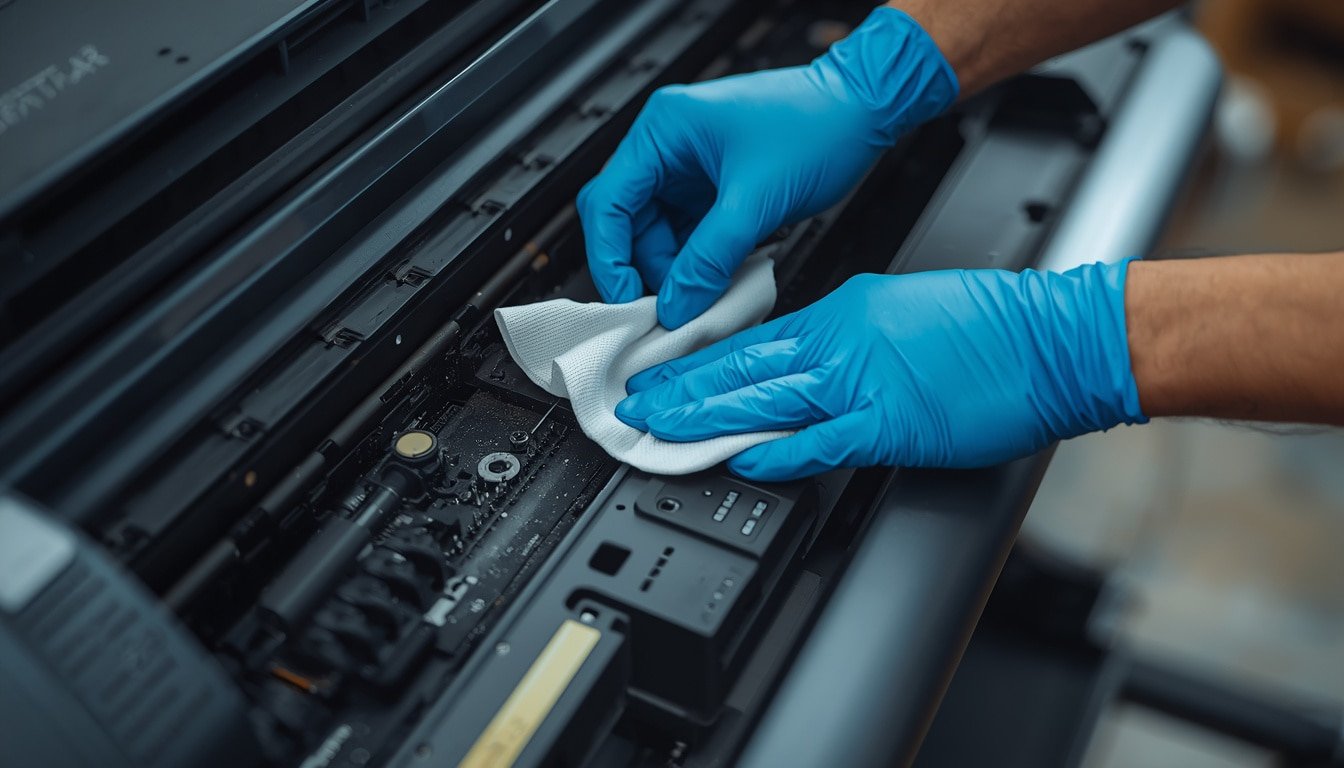
3. Wipe the exterior with a dry anti-static cloth. Dust accumulates on your plotter every single day in Saudi Arabia. A quick wipe-down of the top, sides, and media tray takes two minutes and prevents particles from working their way inside.
4. Check ink levels. Low ink in a hot environment means the printhead is sitting next to an air pocket rather than ink. Air in the system accelerates clogging and can introduce bubbles into the ink lines.
5. Keep the plotter covered when idle. If your machine is not printing for several hours especially overnight or during prayer break times cover it with a fitted dust cover. This one step dramatically reduces how much dust reaches the internal components.
Weekly Maintenance Tasks
1. Clean the rollers. Use a lint-free cloth very lightly dampened with distilled water. Never use tap water it leaves mineral deposits. Wipe the rollers carefully and allow them to dry fully before feeding any media. Dirty rollers cause skewed prints and media jams.
2. Clean the encoder strip. The encoder strip is a thin transparent strip that runs the length of your plotter’s carriage rail. It tells the machine exactly where the printhead is at any point. Dust on this strip causes banding and misregistration. Use a clean, dry lint-free cloth to wipe it gently.
3. Clear the cutter blade assembly. Remove any media scraps or dust from around the cutter. A clogged cutter drops performance and can tear expensive media rather than cutting it cleanly.
4. Clear the air vents. Use a can of compressed air to blow out the intake and exhaust vents. Do this outside or with the vent facing away from the machine you do not want to blow dust further inside.
5. Print a nozzle check pattern. Compare it to a clean reference print. If you see gaps or broken lines in any color channel, run a targeted cleaning cycle for that channel rather than a full system clean, which wastes more ink.
Monthly Maintenance Tasks
1. Perform a deep printhead clean. Use your manufacturer’s recommended cleaning solution not generic alternatives. HP, Canon, and Epson each have specific formulations that work with their ink chemistry. A deep clean flushes the ink system more thoroughly than a standard cycle.
2. Lubricate the carriage rod. The carriage slides back and forth thousands of times per day. In dry KSA air, the lubricant on the carriage rod evaporates faster than it would in a humid climate. Apply a small amount of plotter-safe lubricant (check your model’s manual for the correct type). A dry carriage rod causes squeaking, then carriage errors, then hardware failure.
3. Run full calibration. This includes color calibration, media advance calibration, and printhead alignment. Temperature changes affect how your media feeds and how ink lands on the surface. Monthly calibration keeps output consistent.
4. Check and update firmware. Manufacturers release firmware updates that often include improvements to heat management, ink system performance, and error handling. Keeping firmware current is a simple step that many KSA businesses overlook.
5. Inspect ink tubes for kinks or cracks. Heat makes tubing brittle over time. A cracked ink tube introduces air into the system causing the exact kind of intermittent printing failures that are hard to diagnose unless you know where to look.
💡 KSA-Specific Tip: Target a room temperature of 18–25°C and relative humidity of 40–60% using your HVAC system. This single environmental control prevents the majority of heat and dryness-related plotter failures. It also protects your media stock, which is equally sensitive to temperature swings.
Brand-Specific Plotter Maintenance Notes for KSA
Different plotter brands respond to KSA conditions in slightly different ways. Here is a quick reference for the three most widely used brands in Saudi Arabia:
HP, Canon & Epson Plotter Care: KSA Climate Notes
Brand
Common Series in KSA
Primary Climate Risk
Key Maintenance Action
HP
DesignJet T600, T830, Z9+
Printhead clogging in dry heat
Daily auto-clean + keep printhead cap clean and moist
Canon
imagePROGRAF TX, PRO series
Air bubbles in ink tubes from heat expansion
Monthly ink system purge cycle
Epson
SureColor T-Series, SC-P Series
Paper feed issues in coastal humidity
Weekly roller clean + use humidity-resistant media
Setting Up Your Office Environment to Protect Your Plotter
Where you place your plotter matters as much as how you clean it. Here are the environmental rules every KSA office should follow:
Place the plotter away from exterior walls. Walls that face outdoor sun absorb and radiate heat into the room. A plotter sitting near a sun-facing wall runs several degrees hotter than it should.
Never place it directly under an air conditioning vent. Cold air blowing directly onto the printhead causes condensation inside the ink system. That moisture disrupts ink flow and can cause electronics corrosion over time.
Use a UPS (Uninterruptible Power Supply). Power fluctuations in KSA can send voltage spikes straight into your plotter’s control board. A good UPS filters the incoming power and provides a buffer against sudden outages. This is especially important in industrial districts of Riyadh, Jeddah, and Dammam where the power supply can be less stable.
Store your media rolls in a sealed, climate-controlled space. Paper absorbs moisture from the air. A roll of media stored in an uncontrolled KSA storeroom can warp or develop humidity-related surface issues that will cause print quality failures even when the plotter itself is perfectly maintained. You can browse wide-format paper and media options at Supplies Hub that are suited to Saudi Arabia’s print environment.
Use fitted dust covers every night and over weekends. The Friday–Saturday weekend in KSA means your plotter may sit idle for 48 hours. Cover it, keep the room at a stable temperature, and run a cleaning cycle before the first print on Sunday.
Signs Your KSA Plotter Needs Professional Servicing
There are limits to what in-house maintenance can fix. If you see any of the following, stop running print jobs and contact a certified technician:
❌ Horizontal banding on every print, even after multiple cleaning cycles
❌ Persistent printhead error messages that do not clear after reset
❌ Repeated paper jams with no visible media debris causing them
❌ Ink smearing on media despite correct print settings and fresh media
❌ Grinding or clicking sounds from the carriage during a print run
❌ Color shifts that return immediately after calibration
❌ Ink system warnings even after confirmed cartridge replacement
Continuing to print through these issues causes secondary damage that turns a moderate repair bill into a full component replacement.
DIY Maintenance vs. Professional Service: What Makes Sense for Your Business
Maintenance Type
Approximate Cost
Recommended Frequency
Best Suited For
Daily DIY Cleaning Routine
No cost
Daily
All KSA businesses with a plotter
Weekly Self-Service
Very low (cleaning supplies)
Weekly
In-house teams with basic training
Monthly Deep Clean (DIY)
Low to medium (cleaning kits)
Monthly
Staff familiar with plotter hardware
Manufacturer Service Contract
Medium to high
Annually
High-volume print operations
Third-Party KSA Technician
Medium
As needed
SMBs without service contracts
For businesses that print daily at high volume engineering firms, architecture studios, print shops a manufacturer service contract is almost always worth the cost when you factor in downtime, wasted media, and replacement parts.
For smaller offices that print occasionally, the DIY checklist above combined with an annual professional service call is a practical and cost-effective approach.
A Quick Summary Before You Start
Plotter maintenance KSA is not complicated, but it does require consistency. Here is what to take away from this guide:
Daily: Clean cycle, dust wipe, ink check, cover the machine
Weekly: Clean rollers, encoder strip, vents, and cutter
Monthly: Deep clean, lubricate, calibrate, update firmware, inspect tubes
Environment: Control temperature and humidity, use a UPS, store media correctly
Know your limits: Recognise the signs that need a professional technician
Saudi Arabia’s climate will always put more pressure on your plotter than a temperate office environment would. But with the right routine, your machine can absolutely meet its expected lifespan and your print quality will stay consistent throughout.
Get the Right Supplies for KSA Conditions
Maintenance is only as good as the supplies you use. Generic or non-certified inks, wrong media types, and poor-quality cleaning kits all undo the work you put into your maintenance routine.
Supplies Hub is a B2B office supplies store serving businesses across Saudi Arabia. We stock certified plotter inks, wide-format media, maintenance kits, and accessories for HP, Canon, and Epson wide-format plotters all available for delivery across KSA.
Browse our full range and keep your plotter running the way it should.
Hasnain
SEO & Content Marketing Specialist focused on building search-driven brands through strategic content, organic growth, and audience-first storytelling. Skilled in modern SEO, content strategy, and creating scalable digital experiences.
Hasnain
SEO & Content Marketing Specialist focused on building search-driven brands through strategic content, organic growth, and audience-first storytelling. Skilled in modern SEO, content strategy, and creating scalable digital experiences.
Summary: An e-procurement system helps businesses control purchasing through digital requests, approvals, supplier management, purchase orders, and spend tracking. For Saudi companies managing multiple suppliers, branches, and recurring
If your business relies on chaotic paper trails, lost email threads, and manual invoice matching, you are already falling behind. Traditional purchasing methods simply cannot keep up with
Inefficient purchasing and unmanaged tail spend silently cost businesses millions of riyals every year. If your procurement team is drowning in manual data entry instead of building strategic